VTagPicker
Visually presents time flow information.
Basic Usage
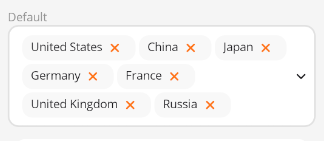
Use the ItemsSource property to bind data.
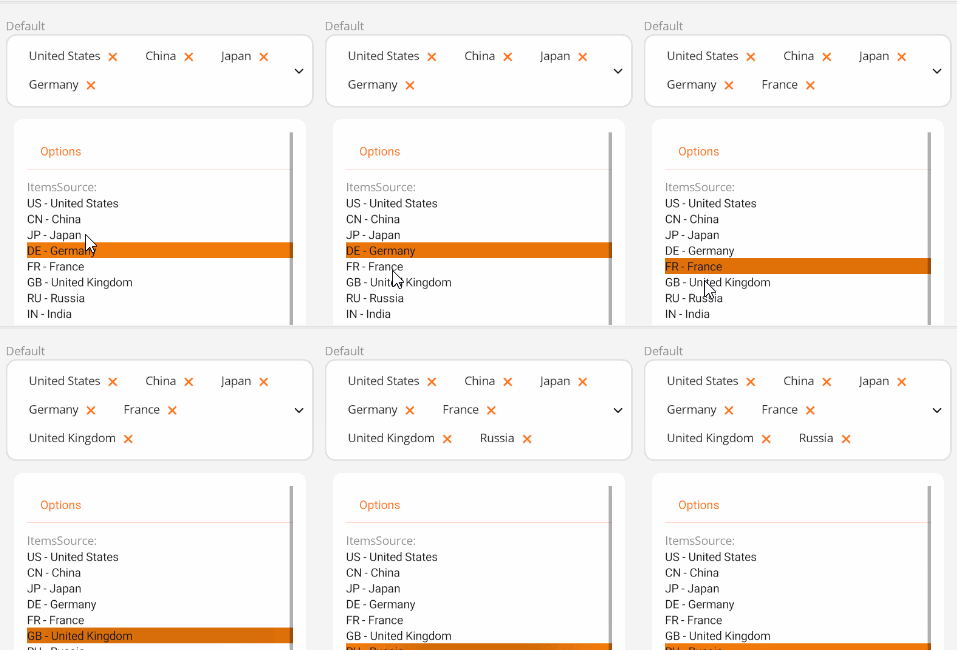
<control:VTagPicker ItemsSource="{Binding SelectedCountryList}"></control:VTagPicker>
ViewModel:
DesCountryList = new ObservableCollection<PickerM>()
{
    new PickerM { Id = "US", Value = "United States" },
    new PickerM { Id = "CN", Value = "China" },
    new PickerM { Id = "JP", Value = "Japan" },
    new PickerM { Id = "DE", Value = "Germany" },
    new PickerM { Id = "FR", Value = "France" },
    new PickerM { Id = "GB", Value = "United Kingdom" },
    new PickerM { Id = "RU", Value = "Russia" },
    new PickerM { Id = "IN", Value = "India" },
    new PickerM { Id = "CA", Value = "Canada" },
    new PickerM { Id = "AU", Value = "Australia" },
};
Set the DisplayPropertyName property to specify the displayed attribute.
<control:VTagPicker DisplayPropertyName="Value"
                    ItemsSource="{Binding SelectedCountryList}"></control:VTagPicker>
Remove Event
Use the RemoveCommand property to trigger an event when the delete button is clicked.
ViewModel (With CommunityToolkit ObservableObject):
[RelayCommand]
private void RemoveDesCountry(object obj)
{
    if (obj != null && obj is PickerM)
    {
        SelectedCountryList.Remove(obj as PickerM);
    }
}
Disabled State
Set the IsPickerEnabled property to False to disable the picker.

<control:VTagPicker IsPickerEnabled="False"
                    ItemsSource="{Binding DesCountryList2}"></control:VTagPicker>
No Remove Button
Set the HasRemove property to False to hide the remove button.

<control:VTagPicker HasRemove="False"
                    ItemsSource="{Binding DesCountryList2}"></control:VTagPicker>